Website Design Austin TX: Why Your Site Isn’t Getting Leads


Published On: October 8, 2026

If people visit your site but your phone stays quiet, the problem is usually the design, not the traffic. Good website design in Austin, TX comes down to five fixes: page speed, a clear offer, a mobile-friendly layout, visible proof that you’re legitimate, and one obvious next step for every visitor. Get those right, and the same visitors will start calling, booking, and filling out your form.
This guide is for Austin small business owners, startup founders, and marketing managers who are planning a new site or wondering whether their old one is worth saving. It covers why sites fail to produce inquiries, how to fix them, what a rebuild costs, and how to choose the right partner. It comes from the team at 99Graphics Design, a web design and digital marketing agency that builds and repairs lead-generating websites for US businesses.
Short answer: A website stops generating leads when it loads slowly, is awkward on a phone, doesn’t say clearly what you sell, lacks proof, or hides the next step. Fix those problems in that order, and conversions usually improve without spending an extra dollar on ads.
Why Is My Website Not Getting Leads?
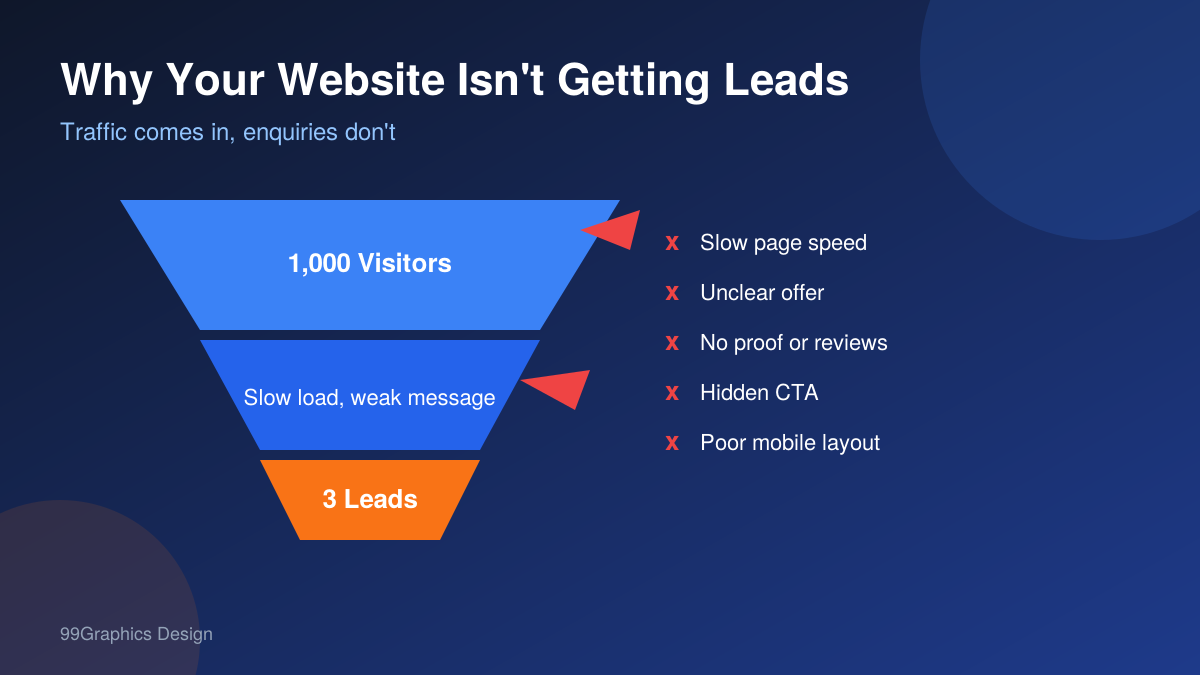
A website that doesn’t generate leads is one where visitors arrive but never call, submit a form, or book. The cause is rarely a single bug. It is usually a stack of small frictions: slow loading, vague messaging, weak trust signals, and no obvious action to take.
Before you change anything, work out which of two situations you are in. They look the same from the outside, but the fixes are different.
- You get traffic but no leads. Open Google Analytics 4 and compare monthly sessions with the number of form submissions and phone taps. Many service business sites convert somewhere between 2% and 5% of visits. If yours sits well under 1%, you have a design and messaging problem.
- You get almost no traffic. Then the site may be fine, and the gap is visibility. That points to local SEO Austin work: your Google Business Profile, city-specific pages, and consistent business details across the web.
Most owners we talk to assume they are in the second group. Often they are in the first, and they have been paying for visitors who leave within ten seconds.
Here are the seven problems we find most often, roughly in order of how much lead volume they cost.
1. A slow website is losing customers
Google and SOASTA studied mobile load times and found that the chance of a visitor bouncing rises by about 32% when a page goes from one second to three seconds. Their data also showed that over half of mobile visits are abandoned if a page takes longer than three seconds to load.
Website speed optimization is the cheapest lead fix there is. Start with these:
- Compress and resize images, and serve them as WebP
- Remove plugins you installed once and forgot
- Turn on caching and use a content delivery network
- Move off cheap shared hosting if your server response is slow
2. An outdated website is hurting your business
Stanford’s Persuasive Technology Lab ran a large study on how people judge credibility online. Roughly three-quarters of participants said they judged a company’s credibility based on its website design. People decide whether to trust you before they read a word.
An outdated site tells visitors the business may be outdated too. The usual signs are a footer that still says 2019, stock photos of people shaking hands, a slider that rotates before anyone can read it, and missing HTTPS.
For Austin startups, this hurts twice. You are competing against funded companies with polished sites, and a founder-built site from the early days can quietly cap your growth.
3. The site isn’t built for phones
A mobile-friendly website is not the same as a desktop site that shrinks. Responsive web design means the layout, font sizes, buttons, and forms are rebuilt for a thumb, not a mouse.
Check this on a real phone, not a browser resize. Look for text you have to pinch to read, buttons too close together, a menu that covers the page, and a phone number that isn’t tappable. A tap-to-call button in the header often does more for a local business than any redesign of the homepage hero.
4. There’s no clear call to action
Every page needs one main job. A call to action (CTA) is the specific step you want the visitor to take, such as “Get a Free Quote,” “Book a Table,” or “Schedule a 15-Minute Call.”
We often see five competing buttons on one page, or a single grey “Submit” that tells people nothing. Put the primary CTA on the first screen, repeat it halfway down, and close the page with it. Use words that describe the outcome, not the action of clicking.
5. Visitors can’t see proof that you’re real
People hiring a local business want evidence. Show it:
- Named client reviews, with a first name, business, and photo where possible
- Your Google review count and rating
- Photos of your actual team and workplace
- A real address and phone number in the header and footer
- Logos of recognizable clients, certifications, and awards
Proof works best when it sits next to the CTA, because that is the moment a visitor hesitates.
6. Your form asks too much
Every extra field costs you submissions. For a first enquiry, name, email, phone, and a short message are plenty. Remove puzzle CAPTCHAs that make real people fail, and send visitors to a thank-you page so you can track conversions properly.
Speed of reply matters as much as the form itself. A Harvard Business Review study of online sales leads found that companies who responded within an hour were around seven times more likely to qualify the lead than those who waited longer. If your form sends an enquiry to an inbox nobody checks until Monday, your site is working, and your process is not.
7. The page doesn’t match what the visitor searched for
Someone who searches “emergency AC repair Round Rock” and lands on a generic homepage will leave. Landing page design matters here. A page built around one service and one location converts far better than a catch-all page that tries to speak to everyone.
How to Fix a Website That Doesn’t Generate Leads
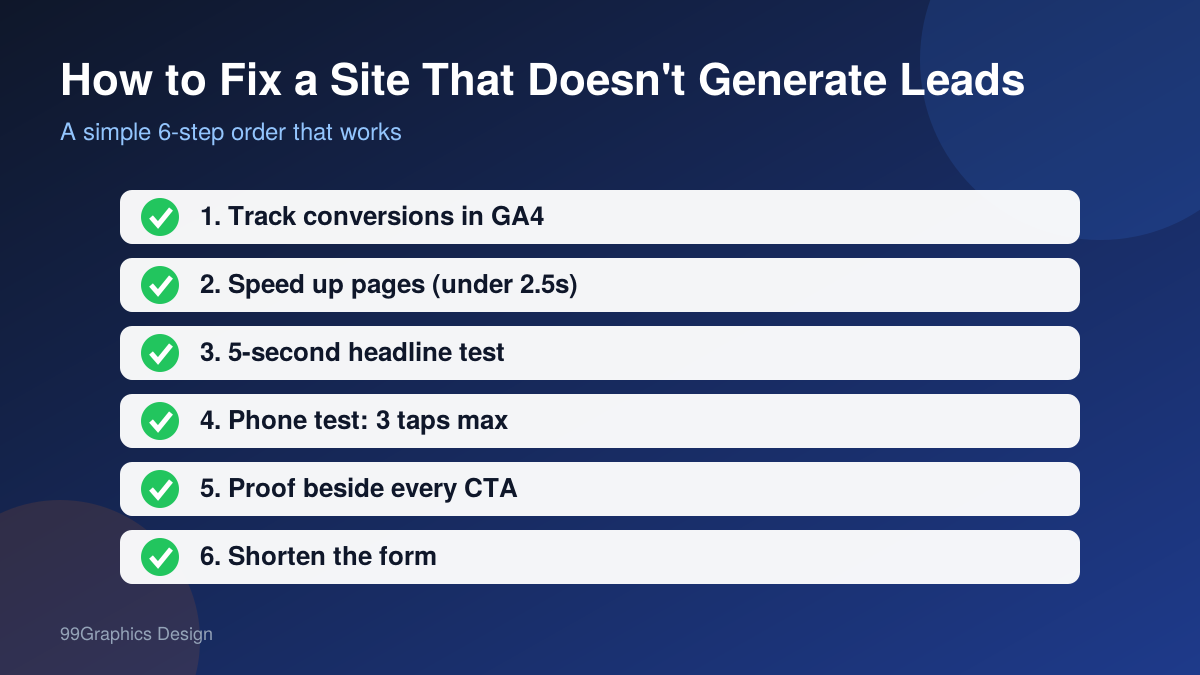
Fixing a site that doesn’t generate leads means finding the biggest point of friction between a visitor arriving and a visitor contacting you, then removing it. Work from measurement to speed to messaging to proof, and change one thing at a time so you can see what worked.
Here is the order we follow on client sites:
- Measure first. Set up GA4 conversion events for form submissions, calls, and booking clicks. You can’t improve a number you aren’t tracking.
- Fix speed. Run Google PageSpeed Insights on your top five pages. Aim for a Largest Contentful Paint under 2.5 seconds on mobile.
- Run the five-second test. Show your homepage to someone outside your business for five seconds, then ask what you sell and who it is for. If they can’t answer, rewrite the headline and subheading.
- Run the phone test. On your own phone, try to contact yourself starting from Google. Count the taps. If it takes more than three, simplify.
- Add proof near every CTA. A short testimonial or review count beside the button.
- Shorten the form and add an automatic confirmation email.
- Wait 30 days and compare. Look at conversion rate by page, not by site.
This is the basic work of conversion rate optimization (CRO). It doesn’t need a full rebuild to start. Many sites gain noticeably from steps one to five alone.
Website Redesign Austin: Fix It or Rebuild It?
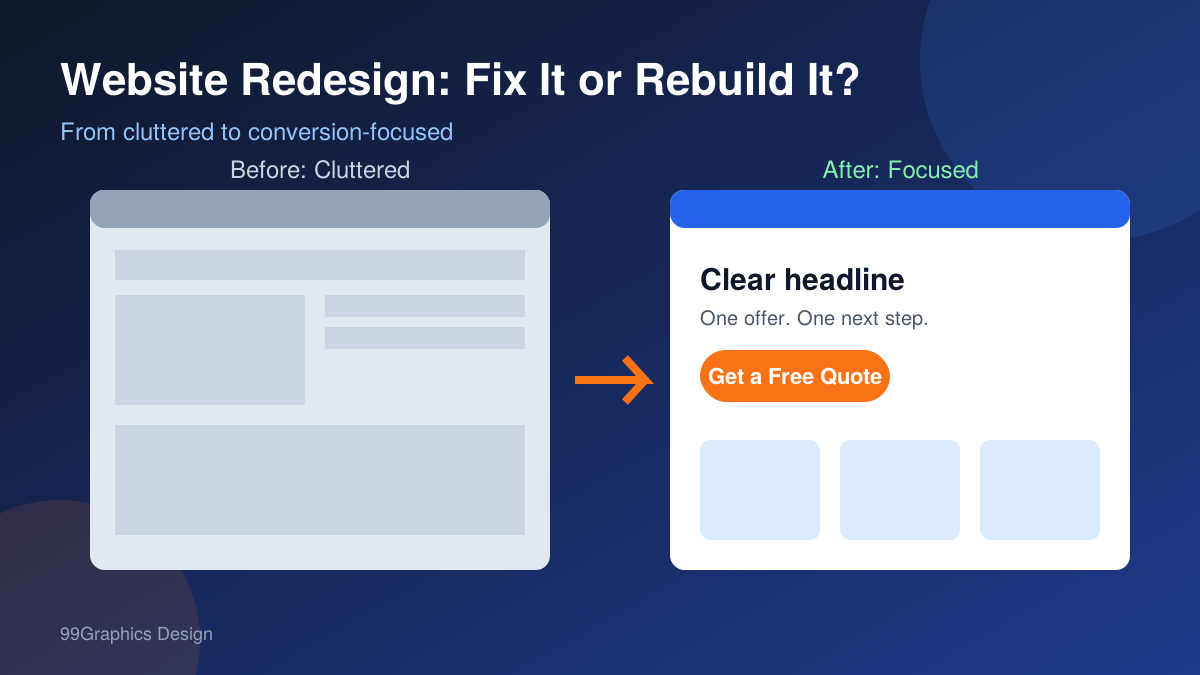
A website redesign means changing the structure, layout, and content of an existing site so it performs better, while keeping the domain and what already ranks. A rebuild means starting from a new design and often a new platform. The right choice depends on how deep the problems go.
| Situation | Fix what you have | Rebuild |
|---|---|---|
| Site is under 3 years old and loads in under 3 seconds | Yes | No |
| Design looks dated, but the pages rank well | Yes, refresh the design only | No |
| Built on a page builder that can’t be edited without breaking | No | Yes |
| Not responsive on phones | Sometimes | Usually |
| You are changing your services or brand | No | Yes |
| Platform no longer gets security updates | No | Yes |
| Leads dropped after a past redesign | Audit first | Maybe |
One warning about website redesign Austin projects, and any redesign anywhere: don’t change URLs without redirects. We have seen businesses lose most of their organic traffic overnight because old pages were deleted and nothing pointed to the new ones. A good agency maps every old URL to a new one before launch.
Why Austin Businesses Need Custom Website Design

Custom website design means a site planned around your customers, your services, and your sales process, instead of a purchased template with your logo dropped in. For a business that depends on enquiries, that difference decides whether the site produces leads.
Austin is a crowded market. A plumber, a med spa, a SaaS startup, and a boutique law firm all compete in search results with dozens of similar businesses. When every competitor uses the same three templates, nobody stands out, and nobody gets remembered.
Here is how template and custom approaches compare for a small business:
| Factor | Template site | Custom site |
|---|---|---|
| Upfront cost | Lower | Higher |
| Time to launch | 2 to 3 weeks | 6 to 12 weeks |
| Messaging fit | You adapt to the template | The layout adapts to you |
| Speed | Often carries unused code | Built lean |
| Conversion paths | Generic | Planned around your sales process |
| Growth later | Limited | Easier to extend |
Small business website design in Austin doesn’t have to mean a big budget. It means spending where it counts: the homepage, your top service pages, and the contact path. Everything else can follow a simple system. When you hire for website design Austin TX projects, ask for this kind of scoped plan rather than a bundle of pages you don’t need.
WordPress or Shopify: Which Platform Fits Your Business?
The right platform depends on what you sell and who will manage the site. WordPress suits service businesses, content-heavy sites, and brands that want full control. Shopify suits stores that sell products and want payments, inventory, and shipping handled in one system.
| Question | WordPress | Shopify |
|---|---|---|
| Best for | Service businesses, blogs, local lead generation | Online stores and product catalogs |
| Flexibility | Very high | Moderate |
| Ongoing cost | Hosting and plugins | Monthly plan plus transaction fees |
| Maintenance | You or your agency handle updates | Platform handles most updates |
| SEO control | Excellent | Good |
If you run a service business in Austin, WordPress website design is usually the better fit, and our WordPress development service covers custom themes, speed work, and security hardening. If you sell products and want to launch fast, Shopify web design makes sense, and our Shopify development team builds stores that are set up for checkout conversion from day one.
For larger builds, web development Austin TX companies often add custom features such as booking systems, customer portals, or CRM integrations. Those belong in the scope early, not as a surprise halfway through.
What Does Website Design Austin TX Cost in 2026?
The cost of a business website in Austin depends on page count, custom design, features, and platform. These are typical US market ranges, not a quote. They show where your project is likely to land.
| Project type | Typical range |
|---|---|
| Small business site, 5 to 10 pages | $3,000 to $10,000 |
| Custom WordPress site with a conversion focus | $8,000 to $25,000 |
| Ecommerce store on Shopify or WooCommerce | $10,000 to $40,000+ |
| Complex web application or portal | $30,000 and up |
| Redesign of an existing site | Usually 60% to 100% of a new build |
Affordable website design Austin buyers are looking for is not the cheapest quote. A $1,500 site that brings in no enquiries is more expensive than a $7,000 site that brings in four a week. Ask what you are paying for and how it will be measured.
Four things move the price most:
- Number of unique page layouts, not total pages
- Custom features such as booking, calculators, or logins
- Content creation, including copywriting and photography
- Migration work from an old site, including SEO redirects
For a deeper breakdown, read our guide on how much website design costs in the USA.
How to Choose a Web Design Company in Austin

The best web design company Austin businesses can hire is one that can show lead results, not just attractive screenshots. Look for process, proof, communication, and what happens after launch.
Ask every agency these questions:
- Can you show me results from a project like mine, such as leads, calls, or revenue?
- Who will I talk to during the project, and how often?
- What does my price include, and what is extra?
- Do I own the site, the domain, and the files when it’s finished?
- How do you handle speed, mobile layout, and SEO during the build?
- What support do you offer after launch?
Watch for red flags. An agency that guarantees a number-one ranking is overpromising. A quote with no scope document is a risk. A portfolio of only pretty homepages with no data tells you very little.
A website designer Austin, Texas owners hire needs to understand your market, and that can happen over video calls and shared documents. What matters is whether they ask about your customers and your sales process before they talk about colors.
How 99Graphics Design Builds Websites That Generate Leads
At 99Graphics Design, we start with the problem, not the template. Before any design work on a website design Austin, TX project, we review your analytics, your current pages, and your competitors, so we know where leads are being lost.
Our process looks like this:
- Audit and goals. We agree on what counts as a lead and how we will measure it.
- Structure and messaging. We map pages around the questions your customers ask.
- Design and build. Mobile-first, lightweight, and set up with conversion tracking.
- Launch with redirects and SEO checks. Nothing that ranks today gets lost.
- Review at 30 and 90 days. We look at what visitors actually did and adjust.
Our team covers website design, development, search engine optimization, and conversion rate optimization under one roof, so the people designing your site also understand how it will be found and how it will convert. We are based in New York and work with Texas businesses through video calls and shared project boards, which keeps projects moving without the overhead of a local office.
Your Next Step
A website should work like your best salesperson: available all day, clear about what you offer, and easy to say yes to. If yours isn’t doing that, you now know where to look: speed, mobile layout, message, proof, and the path to contact you.
Start with the free checks in this guide. Run the five-second test, tap through your site on your phone, and look at your real conversion rate. If the problems run deeper than a quick fix, talk to someone who builds these sites for a living.
If you want a clear plan for website design Austin, TX businesses can measure in leads, not just looks, book a free 15-minute call with 99Graphics Design or call (+1) 929-828-6774. We’ll review your current site, point out the three biggest lead leaks, and tell you honestly whether you need a fix or a rebuild.
FAQs (SEO Optimised for Featured Snippets)
Why is my website not getting leads even though I get traffic?
The most common causes are slow loading, unclear messaging, a layout that doesn't work well on phones, missing proof, and a weak call to action. Check your conversion rate in GA4 first. If it is under 1%, start with speed and the headline.
How long does it take to redesign a business website?
A small business site usually takes four to eight weeks. Larger or custom projects take eight to twelve weeks or more. Delays almost always come from late content and slow feedback, not from the build itself.
How much does a website cost for a small business in Austin?
Most small business sites fall between $3,000 and $10,000. Custom lead-focused builds and ecommerce stores cost more. The right budget depends on page types, features, and how much content you need written.
Do I need a new website or can my current one be fixed?
If the site is under three years old, loads quickly, and is built on a maintainable platform, fixing it is often enough. If it is slow, not responsive, or built on something you can't edit, a rebuild is usually cheaper in the long run.
How soon will I see more leads after a redesign?
Conversion improvements from a better layout, faster speed, and clearer calls to action can show within weeks of launch. SEO gains take longer, often three to six months, because search engines need time to re-evaluate the site.

Ready for
Digital Transformation?